01
Inventory accuracy
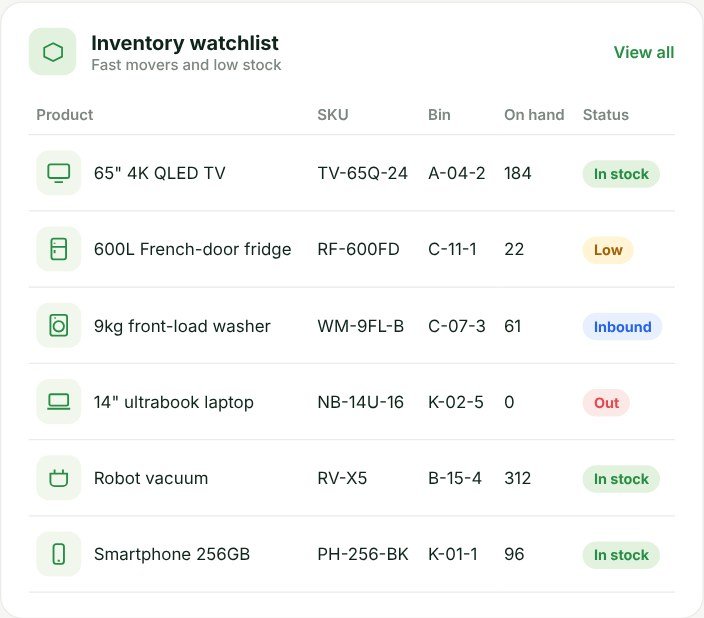
Know what stock is available and exactly which bin it’s in.
Receive, store, pick and ship with every movement scanned, on the phones your team already carries.

Know what stock is available and exactly which bin it’s in.

Staff pick the right items in the right sequence, wave by wave.
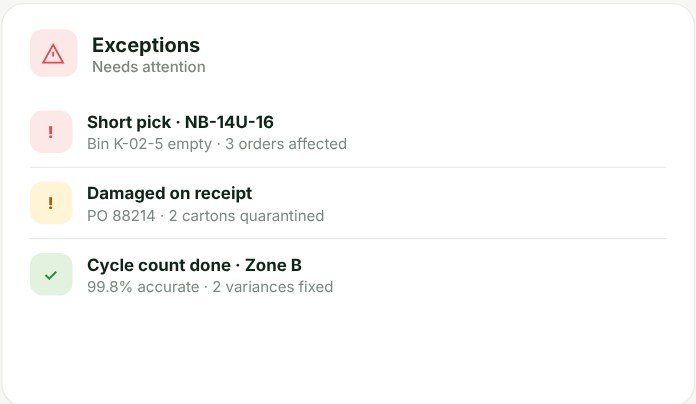
Spot receiving delays, short stock and orders waiting to ship.
Dashboard screens use demo data. Figures are illustrative, not customer results.
Scan deliveries and reconcile quantities against the purchase order.
Assign stock to the right rack, shelf or bin location.
Generate pick tasks, scan items, verify quantities and pack for dispatch.
Restock pick faces and cycle-count a few bins to keep stock accurate.
Pass fulfilled orders to your ERP and delivery workflow, where the integration supports it.
The WMS owns the warehouse. Delivery has its own tool, and both share the same order.
Warehouse inventory and fulfilment: receiving, locations, picking, packing, counts.
Delivery execution: drivers, live status and proof of delivery.
Orders arrive ready to pick, at the customer’s price.
See moreFulfilled orders are handed to the right run for delivery.
See moreLive with Sage X3. Sage, MYOB and Xero are standard connectors; other ERPs are scoped with you.
See more Optional add-onAsk “which orders can’t be picked in full?” and get the answer with evidence.
See more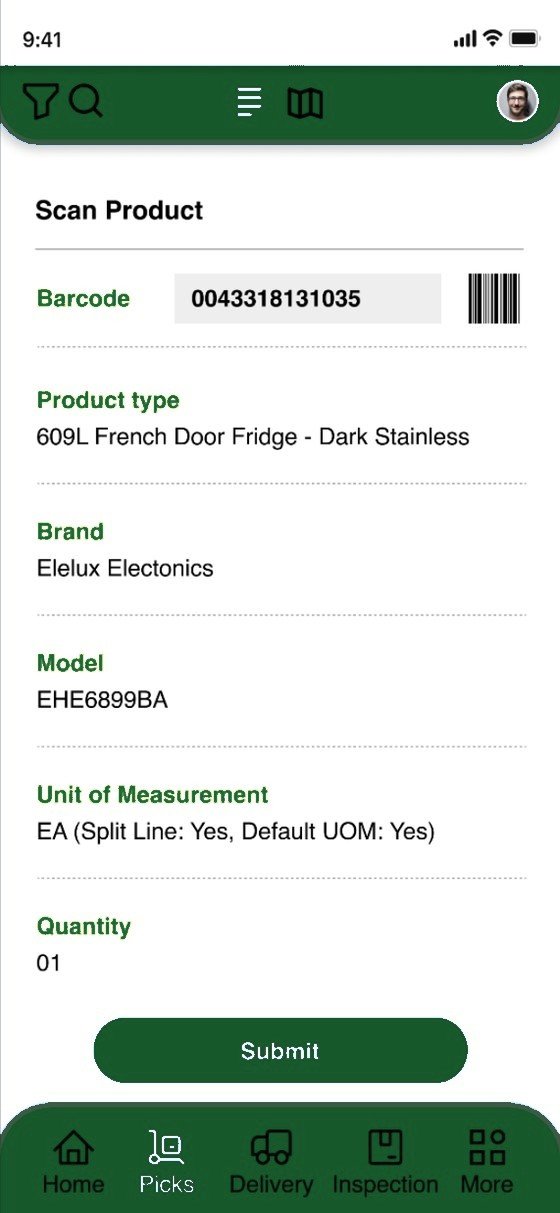
Warehouse staff and drivers worked from paper and phone calls, with picks and deliveries recorded after the fact.
Picks by day, with route, sequence and run. Barcode scanning confirms product, brand, model and quantity.
Product, brand, driver and product-type data synced with the office systems.
Every pick recorded against the docket, visible to dispatch as it happens.
Delivered as part of Xpress Delivery’s combined warehouse and driver app, not a standalone WMS rollout.
Read the full case studyUsually, yes. Any modern iOS or Android phone works out of the box, and most Android-based scanners and keyboard-style scanners can be used too. We test your hardware during discovery.
Each site is set up with its own locations and stock. If you run more than one, we map how stock moves between them during discovery so transfers are tracked properly.
It runs in production with Sage X3, and Sage, MYOB and Xero are standard connectors. Other ERPs with an API, file export or database are scoped per project.
Cycle counts record any differences against expected stock. Adjustments are approved by a manager and then synced to your ERP.
Once an order is packed, the WMS hands it to dispatch. From there the Delivery Management System plans the run and handles the delivery itself, with proof of delivery.
A two-week discovery comes first. A standard rollout typically goes live in 6–12 weeks after that.
Tell us how orders move today. We’ll show you where the time goes, and what to fix first.
Thanks — one of our consultants will be in touch within one business day to lock in a time.
In a hurry? Call +61 490 963 222.