Route Planning

Plan in the office, drive on the phone

Better runs, planned in minutes.

Group the day’s orders into runs, sequence the stops around delivery windows, then send each run straight to the driver’s phone.

Route Planner · ConsoleDemo data
Route planner console with routes, map, route stops and orders
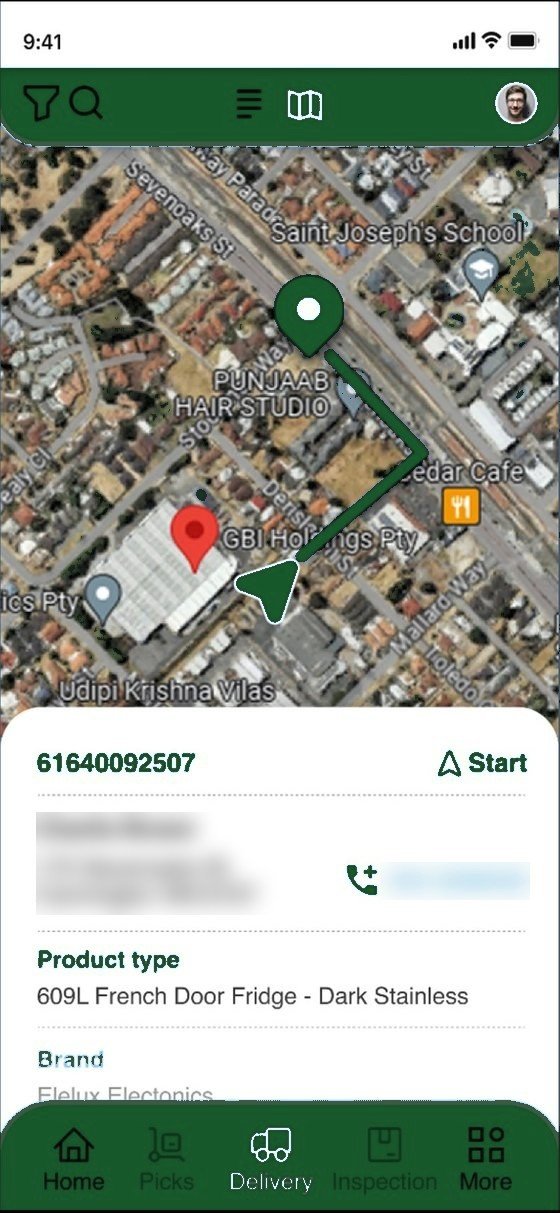
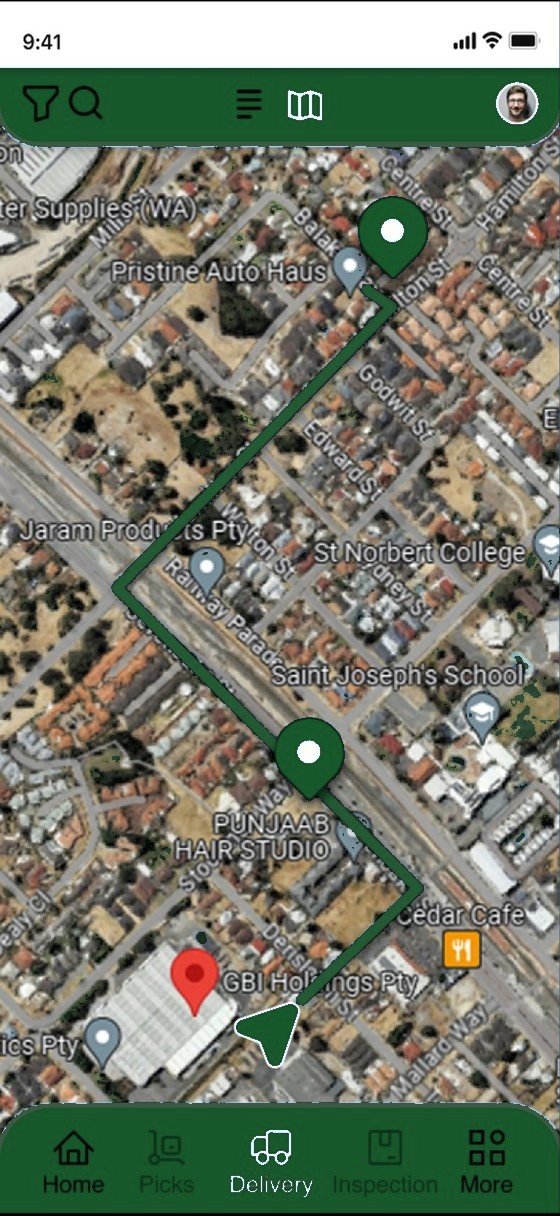
Driver app with the day’s sequenced route
Optimise routes6 runs · 48 stops · 312 km

Console and figures shown with demo data.

Two sides, one plan

The console plans it. The driver app runs it.

In the office

Route Planner console
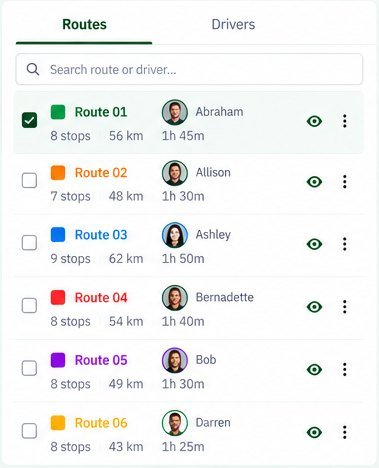
Routes list with drivers, stops, distance and time
Map showing six colour-coded routes across Perth
Route 01 detail with stop sequence and times
  • Routes and drivers side by sideEach run with its driver, stops, distance and drive time.
  • One map for every runColour-coded routes across your whole delivery area.
  • Route detail and stop orderStop times, then one click to start or re-optimise.
  • Unassigned ordersSee what still needs a run, and assign it.
On the road

Driver app

Sequenced route on the map
Stop details
Delivery screen with Start button
  • The run on the phone at 6amSequenced stops with navigation.
  • Stop details and job notesCustomer, address, docket and products.
  • Updates flow back to the consoleDelivered, delayed or failed, live.
How it works

From orders to a run on the road.

  1. 01

    Orders in

    The day’s orders arrive from your ERP, ordering portal or warehouse.

  2. 02

    Optimise

    Runs are suggested around area, delivery windows and vehicle needs.

  3. 03

    Review and assign

    Dispatchers adjust runs and assign drivers before anything is sent.

  4. 04

    Send and track

    Each run goes to the driver’s phone and is tracked live.

Routes planned, drivers assigned, total stops, total distance, estimated drive time and unassigned ordersDemo data
Who it’s for

For planners, drivers and the people waiting.

  • Planners

    Runs built in minutes, then adjusted by hand where you know better.

  • Drivers

    Stops in a sensible order, with notes for each drop.

  • Customers

    Delivery windows they can plan around, and updates when things change.

Common questions

Route Planning FAQs

Anything else, just call +61 490 963 222.

Can our dispatchers override the plan?

Yes. Plans are suggestions until a dispatcher reviews them. Move stops between runs before you send.

Does it handle delivery windows?

Yes. Morning and midday windows, plus customer-specific times, are part of the plan.

Can it plan for crane and tail-lift jobs?

Yes. Vehicle requirements are matched so each job goes to a truck that can do it.

What do drivers need?

A modern iOS or Android phone. The app works offline and syncs when coverage returns.

Is route planning a separate product?

No. It’s part of the Synvora Delivery Management System, alongside dispatch, live tracking and proof of delivery.

Planning your next logistics project?

Tell us how orders move today. We’ll show you where the time goes, and what to fix first.